
Make scheduling seamless for clients and stress-free for you — automated booking, reminders, payments, and calendar sync that runs on autopilot.

Calendar & Booking That Runs on Autopilot

What AlloCause Calendar & Booking System Does

AlloCause provides done-for-you appointment scheduling and booking automation systems that eliminate manual calendar coordination, reduce no-shows through automated reminders, and allow clients to book, pay, and confirm appointments 24/7 without any back-and-forth messages.

Core function

We build, configure, and optimize branded online booking portals with calendar synchronization, automated reminder sequences, payment collection, and team scheduling distribution — turning appointment coordination from a time-drain into a seamless automated process.

Who we serve

Coaches, consultants, therapists, wellness practitioners, agencies, creative studios, nonprofits, B2B service providers, and any appointment-based business tired of scheduling chaos.

Proven outcomes:

Clients cut no-show rates by 40-50% within 30 days and save 8-15 hours per week previously spent on scheduling coordination.

Time & Efficiency Problems

  • Spending 1–2 hours daily on scheduling back-and-forth emails
  • "When are you available?" messages eating up your day
  • Checking calendar constantly to see if time slots are still open
  • Manually entering appointments into calendar after booking
  • Copying meeting details (Zoom links, addresses) into every confirmation
  • Playing phone tag trying to schedule appointments
  • Timezone confusion causing missed appointments
  • Rescheduling requests requiring multiple message exchanges
  • Losing productive time to calendar management instead of actual work

Revenue & Conversion Problems

  • Losing leads because they give up during scheduling process
  • Missing bookings that come in after business hours
  • Can't accept bookings on weekends when you're unavailable
  • No way to collect deposits upfront (leading to no-shows costing revenue)
  • Complicated booking process reducing conversion rates
  • Prospects choosing competitors with easier booking
  • Free consultations with no-shows wasting valuable selling time
  • Unable to upsell or cross-sell services during booking process

No-Show & Attendance Problems

  • 20–40% no-show rates costing time and money
  • Clients forgetting appointments they booked weeks ago
  • No systematic reminder system (or manual reminder sending)
  • Last-minute cancellations with no advance notice
  • Clients not receiving appointment details and showing up at wrong time
  • No confirmation of attendance before appointment
  • Missing opportunities to reschedule instead of losing the appointment entirely

Team & Operations Problems

  • Team members managing their own calendars separately (chaos)
  • Double-bookings when multiple people can do same appointment type
  • Unclear who's handling which appointments
  • New team members causing scheduling conflicts
  • No visibility into team availability across organization
  • Can't route specialized appointments to correct team member
  • Inconsistent booking processes across team members
  • No centralized view of daily/weekly schedules

Client Experience Problems

  • Making clients work too hard to schedule (reducing bookings)
  • Asking clients to download another app or create account
  • Forcing clients to remember to come back and book later
  • No mobile-friendly booking option (50%+ of traffic)
  • Complicated forms asking for too much information
  • Not accommodating client timezone or availability preferences
  • Generic confirmation emails that feel automated and cold
  • Clients uncertain if booking actually went through

Payment & Financial Problems

  • Can't collect payment at time of booking
  • Chasing payments after services are delivered
  • No-shows with no payment collected upfront
  • Unable to require deposits to secure appointments
  • Processing payments manually after booking (double work)
  • No automated invoicing for appointments
  • Missing revenue from cancelled appointments with no policy

Scheduling & Booking Problems AlloCause Solves

If you’re experiencing these challenges, AlloCause Calendar & Booking System is designed for you

AlloCause Calendar & Booking System Features & Capabilities

Branded Online Appointment Booking Portal

What it does

Custom-designed booking interface that embeds on your website, social media, and emails allowing clients to self-schedule appointments 24/7 in seconds.

Key capabilities

  • Branded booking pages matching your visual identity
  • Custom domain (book.yourbusiness.com or yourbusiness.com/book)
  • Embed codes for website integration
  • Direct booking links for email signatures and social bios
  • Mobile-responsive design for smartphone booking
  • Multiple appointment type offerings (15min, 30min, 60min, etc.)
  • Service descriptions and preparation instructions
  • Buffer time between appointments (travel time, prep time)
  • Booking deadline settings (no same-day bookings, 24hr advance, etc.)
  • Maximum advance booking limits
  • Recurring appointment scheduling options
  • Group appointment and workshop booking
  • Waitlist functionality for fully booked slots
  • Custom intake forms and questions during booking
  • Terms and conditions acceptance
  • Privacy policy and consent management

Use cases

  • Coaches offering discovery calls, strategy sessions, and ongoing coaching slots
  • Consultants providing initial consultations and project kickoff meetings
  • Therapists and wellness practitioners managing client sessions
  • Agencies booking creative briefs, presentations, and check-ins

Real-Time Calendar Synchronization

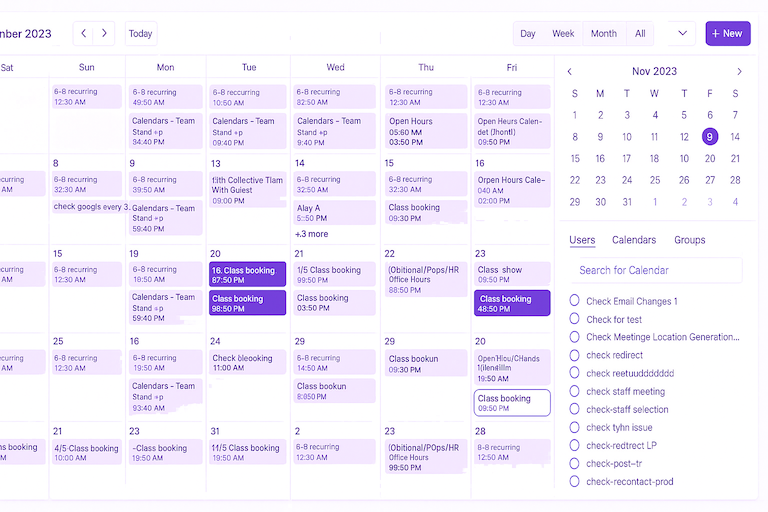
Two-way integration with your existing calendars (Google, Outlook, Apple) that automatically prevents double-bookings and keeps availability updated in real-time across all platforms.
Key capabilities

  • Two-way sync with Google Calendar, Outlook, Apple Calendar
  • Real-time availability updates (book on one, blocks on all)
  • Multiple calendar checking (personal + work calendars)
  • Buffer blocking (meetings at 2pm blocks 1:45–2:15 for prep/travel)
  • Event details sync (Zoom links, notes, attendees)
  • Automatic meeting creation on your calendar when client books
  • Sync across team member calendars
  • Conflict detection and prevention
  • Time zone detection and conversion
  • Business hours and availability rules
  • Blackout dates and vacation blocking
  • Recurring availability patterns (different hours different days)
  • Location-based availability (office vs. remote)
  • Custom availability by service type
  • Override controls for special availability

Use Cases

  • Preventing double-bookings when managing multiple calendars
  • Keeping availability accurate when personal and business overlap
  • Team scheduling without constant coordination meetings
  • Managing complex availability across time zones
  • Blocking off prep time, lunch, and administrative time automatically

Key capabilities

  • Immediate booking confirmation (email + SMS)
  • Multi-stage reminder sequence (1 week, 1 day, 1 hour before)
  • Customizable reminder timing based on appointment type
  • Email and SMS reminder options
  • Branded message templates matching your voice
  • Calendar file attachments (add to calendar buttons)
  • Meeting preparation instructions in reminders
  • Zoom/video conference link inclusion
  • Rescheduling links in reminders (easy to reschedule if needed)
  • Cancellation links with cancellation policies
  • Confirmation request (reply YES to confirm attendance)
  • Post-appointment follow-up messages
  • Thank you messages with next-step guidance
  • Feedback and review request automation
  • Customizable message content by appointment type
  • A/B testing different reminder approaches

Use cases

  • Reducing no-shows for high-value consultations
  • Ensuring clients prepare for appointments (submit forms, gather info)
  • Providing Zoom links and clear joining instructions
  • Following up after appointments with resources or next steps
  • Building review and testimonial collection into workflow

Automated Reminder & Confirmation System

Intelligent reminder sequences via email and SMS that dramatically reduce no-shows through timely, branded notifications before and after appointments.


Team Scheduling & Distribution Management

Intelligent routing of appointments across team members based on service type, availability, expertise, location, or round-robin distribution..

Key capabilities

  • Multiple team member calendar management
  • Service-based routing (appointment type → specific team member)
  • Round-robin distribution (equal distribution across team)
  • Expertise-based assignment (certifications, specialties)
  • Location-based routing (office locations, service areas)
  • Availability-based assignment (books with whoever's available first)
  • Team member profiles and bios on booking page
  • Individual team member booking links
  • Collective team availability view
  • Team member preferences and blocked times
  • Capacity limits per team member
  • Substitute/backup assignment rules
  • Internal team notifications when bookings occur
  • Team dashboard showing all upcoming appointments
  • Individual team member views of their own schedule
  • Manager oversight of all team bookings

Use cases

  • Agencies routing client calls to account managers or specialists
  • Wellness studios booking massage therapists, trainers, or practitioners
  • Consulting firms distributing discovery calls across sales team
  • Nonprofits scheduling donors with appropriate program staff
  • Coaching organizations assigning coaches to new clients

Key capabilities

  • Payment collection before booking confirmation
  • Deposit or full payment options
  • Stripe integration (credit cards, digital wallets)
  • PayPal integration
  • Multiple currency support
  • Secure PCI-compliant payment processing
  • Automatic receipt generation and delivery
  • Refund processing for cancellations
  • Cancellation policy enforcement (non-refundable deposits)
  • Package and membership payment options
  • Discount codes and promotional pricing
  • Payment plans for larger bookings
  • Invoicing for bookings requiring post-service payment
  • Tax calculation and collection
  • Transaction reporting and reconciliation
  • Integration with accounting software (QuickBooks, Xero)

Use cases

  • Coaches requiring deposits for strategy sessions to reduce no-shows
  • Wellness practitioners collecting session fees at booking
  • Consultants requiring payment for initial consultations
  • Workshops and events requiring registration payment
  • Services with high no-show rates implementing financial commitment

Integrated Payment Collection

Secure payment processing at time of booking to collect deposits, full payments, or booking fees automatically — reducing no-shows and ensuring revenue collection.


Booking Intelligence & Analytics

Comprehensive reporting on booking patterns, no-show rates, revenue, popular times, and optimization opportunities to improve scheduling efficiency.


Key capabilities

  • Booking volume tracking (daily, weekly, monthly)
  • No-show rate monitoring by appointment type
  • Cancellation rate and pattern analysis
  • Revenue reporting by service type
  • Popular time slot identification
  • Booking source tracking (website, email, social)
  • Conversion rate from booking page visits to confirmed appointments
  • Lead time analysis (how far in advance people book)
  • Team member utilization reporting
  • Capacity analysis (are you fully booked or under-utilized?)
  • Client rebooking rate tracking
  • Seasonal booking pattern identification
  • Form completion rate analysis
  • Payment collection success rates
  • Reminder effectiveness metrics
  • Automated optimization recommendations

Use cases

  • Identifying which appointment types generate most revenue
  • Determining optimal availability hours based on booking patterns
  • Spotting team members with high no-show rates needing support
  • Understanding which marketing channels drive most bookings
  • Making data-driven decisions about service offerings

Key capabilities

  • Group appointment booking (workshops, classes, webinars)
  • Recurring appointment scheduling (weekly standing appointments)
  • Resource allocation (rooms, equipment, locations)
  • Multi-service booking (book multiple appointments in sequence)
  • Package and membership management
  • Waitlist and cancellation list management
  • Priority booking for VIP clients
  • Booking approval workflows (appointments require approval)
  • Custom intake forms specific to appointment type
  • Conditional logic forms (questions appear based on previous answers)
  • HIPAA-compliant options for healthcare
  • Custom notification workflows
  • Integration with CRM for client history
  • Pre-appointment tasks and homework assignments
  • Post-appointment action triggers
  • API access for custom integrations

Use cases

  • Fitness studios booking classes with capacity limits
  • Coaches offering package deals (10 sessions booked at once)
  • Healthcare providers collecting medical history before appointments
  • Venues scheduling facilities with room/equipment allocation
  • Membership organizations offering priority booking to members

Advanced Booking Features & Customization

Specialized capabilities for complex scheduling needs including group bookings, recurring appointments, resource scheduling, and custom workflows.


Who Uses AlloCause AI Assistants

Coaches & Consultants

Challenge: Spending 2+ hours daily on scheduling emails, 30% no-show rates, losing leads due to slow booking response Solution: Automated 24/7 booking, reminder sequences, payment collection for discovery calls, calendar sync Results: Cut scheduling time from 10 hours to 30 minutes weekly, reduced no-shows from 30% to 12%, increased bookings 40% (24/7 availability)

Wellness & Healthcare Practitioners

Challenge: Phone-based booking during business hours only, high no-shows, payment collection after service, double-bookings Solution: Online booking with intake forms, automated reminders, deposit collection, real-time calendar sync across multiple practitioners Results: 52% reduction in no-shows, 30% increase in bookings (online + after-hours), eliminated double-bookings, collected $8K additional revenue monthly from deposits

Creative Agencies & Studios

Challenge: Coordinating client meetings across team members, unclear who's handling which calls, missed briefing meetings Solution: Team scheduling with round-robin distribution, service-based routing, client preparation forms, automated briefing material delivery Results: Eliminated scheduling conflicts, improved client preparedness, reduced briefing meeting time by 35%, professional client experience

Nonprofits & Social Service Organizations

Challenge: Limited staff scheduling donor meetings, volunteer orientations, program consultations — all manually coordinated Solution: Self-service booking for donors and volunteers, team scheduling across program staff, automated confirmation and preparation Results: Doubled meeting capacity without hiring, improved donor satisfaction with easy booking, volunteer orientation attendance up 45%

Therapists & Counselors

Challenge: HIPAA compliance concerns, phone scheduling during sessions (interruptions), high administrative burden, payment collection challenges Solution: HIPAA-compliant booking system, secure intake forms, automated reminders, payment collection at booking, recurring appointment scheduling Results: Eliminated phone interruptions during sessions, improved client retention through easier rebooking, administrative time reduced 70%

B2B Service Providers

Challenge: Prospects requiring multiple touchpoints before booking, complex qualification needed, long sales cycles Solution: Multi-step booking with qualification forms, calendar coordination for multiple stakeholders, automated preparation sequences Results: Increased qualified meeting bookings by 60%, shortened sales cycle by 12 days through better preparation, improved close rates

FAQ

Yes. Your branded booking portal embeds directly on your website with a simple code snippet (we handle installation). Clients never leave your site to schedule. You also get direct booking links for email signatures, social media bios, and anywhere else you want to share. Everything looks and feels like part of your brand, not a third-party tool.

Yes. We offer real-time two-way synchronization with:

  • Google Calendar (G Suite/Workspace)
  • Microsoft Outlook/Office 365
  • Apple Calendar (iCloud)

When someone books an appointment, it appears on your calendar instantly. When you block time on your calendar, that time becomes unavailable for booking automatically. You can connect multiple calendars to check availability across all of them.

Absolutely. We integrate with:

  • Stripe (credit cards, Apple Pay, Google Pay)
  • PayPal
  • Square

You can require:

  • Full payment before booking is confirmed
  • Deposit with balance due at appointment
  • Free booking with optional payment
  • Package or membership-based payments

This dramatically reduces no-shows (financial commitment) and ensures you’re paid for your time.

No. We handle 100% of the technical setup, configuration, and integration. You simply:

  • Tell us your scheduling needs and preferences
  • Approve the design and messaging
  • Start using the system

We provide training and documentation, but the system is intuitive enough that most clients are comfortable within minutes.

Most booking systems launch within 7-10 days:

  • Simple setup (solo practitioner, basic booking): 5-7 days
  • Standard setup (team scheduling, payment integration): 7-10 days
  • Complex setup (multi-location, advanced features): 10-14 days

Rush implementation available if you have urgent deadlines.

Our reminder system sends multiple touchpoints:

  • Immediate confirmation when booked
  • One week before reminder (for advance bookings)
  • 24-hour reminder
  • 1-hour reminder (optional)
  • Option for clients to confirm attendance

Clients receive reminders via email and/or SMS with:

  • Meeting details and preparation instructions
  • Easy reschedule option if they can’t make it
  • Calendar file to add to their own calendar

This keeps the appointment top-of-mind and gives them opportunity to reschedule rather than no-show. Typical results: 40-50% reduction in no-show rates.

Yes. You can create unlimited appointment types with individual settings:

  • Different durations (15min, 30min, 60min, etc.)
  • Different pricing or deposit requirements
  • Different availability rules (only certain days/times)
  • Different team member assignments
  • Different intake forms and questions
  • Different reminder sequences
  • Different preparation instructions

Example: Free 15min discovery calls vs. paid 60min strategy sessions have completely different configurations.

Clients can easily reschedule or cancel through links provided in confirmation and reminder emails. You set the rules:

  • Cancellation deadline (24 hours, 48 hours, etc.)
  • Refund policy for cancellations
  • Rescheduling limitations (how many times, how far out)
  • Automated waitlist notification when slots open up

This reduces back-and-forth (“Can we reschedule?”) and keeps calendar accurate.

Yes. You get a team dashboard showing:

  • All upcoming appointments across entire team
  • Individual team member schedules
  • Availability at-a-glance view
  • Booking volume and utilization metrics
  • Filter by team member, service type, date range

Perfect for coordinating team operations and identifying capacity issues.

Completely. 60-70% of bookings typically happen on mobile devices, so we design mobile-first. The booking experience is optimized for smartphones:

  • Easy form completion
  • Large touch-friendly buttons
  • Simplified date/time selection
  • Mobile wallet payment options
  • SMS reminder delivery

Yes. We integrate with most business tools including:

  • CRMs: Salesforce, HubSpot, Pipedrive, AlloCause CRM
  • Email: Mailchimp, ActiveCampaign, ConvertKit
  • Zoom/video: Automatic video conference link generation
  • Project management: Asana, Monday, ClickUp
  • Accounting: QuickBooks, Xero
  • Zapier: For custom connections

Bookings automatically create/update CRM records, trigger email sequences, create project tasks, etc.

Ready to Make Scheduling the Easiest Part of Your Business?

Let's build your AlloCause Calendar & Booking System where clients book effortlessly, your team stays organized, and you never waste another minute on scheduling coordination.

What happens in your Free Systems Demo

  • 30-minute consultation about your current scheduling challenges
  • Analysis of your no-show rates and time spent on coordination
  • Custom booking system design for your specific needs
  • ROI calculation showing time and revenue impact
  • Live demo of booking flow for your type of business
  • Clear proposal with pricing, features, and timeline

You'll leave the demo knowing exactly:

  • How much time you'll save weekly (typically 8–15 hours)
  • Expected no-show rate reduction (40–50% average)
  • Revenue increase from better booking conversion
  • What your clients' booking experience will look like
  • Timeline to go live (typically 7–10 days)

Stop losing time to scheduling chaos. Start running a booking system that works while you sleep.